


This is a brief video introduction to HESK help desk software highlighting main help desk software features and work flow.
Wednesday, 12 October 2011
Monday, 10 October 2011
Friday, 7 October 2011
By John Horsch
If you are offering products and services online, it will greatly help if you get to monitor the movement of sales, as well as the activity and responses of your clients. Using this type of information is greatly useful if you want to improve your business. You will discover that considering their problems and concerns will optimize your system as well as the way you do business. Here are some tips on how you can stay visible and helpful through your site.
You Can Get It for Free
There are actually plenty of help desk software that can readily be downloaded and installed into your system. These come for free, with several focusing on helping individuals customize and improve their web sites. You only need to have the system requirements to effectively upload the program. You can set up and configure a ticket-based support system or help desk for your web site to cater to your clients more effectively.
Your customers can now submit support tickets and your employees get to have a functional web-based interface to manage help desk tickets and reply to various concerns. Expect several features such as unlimited categories, unlimited personalized accounts for your employees, file attachments, canned responses, easy-to-use web interface, easy-to-translate languages, custom fields in the submit ticket form, effective ticket search capabilities, email notification of new replies and tickets and many more.
You can also customize the appearance of the help desk, editing the style, header and footer. The test can be stored in a single language file so you can translate the script, requiring you to edit only a single file. The software also comes with an install script that is responsible for the database setup so your help desk stays operational with little work. The program should be compatible with the different operating systems.
Why Your Web Site Needs It
Useful help desk software is a web-based application that is created purely to create solutions for browers. A lot of other tools began as client-server applications, with little focus on the web. However, the new approach emphasizes a powerful cross-platform format wherein you can track progress and keep in touch with your customers for full support. A reliable product also comes with a 1-year guarantee, wherein you get unlimited product support via phone or email, maintenance agreements and updates.
How Your Site Can Benefit
In a web help desk, knowledge base functionality is often built in so you can manage the creation of a database that is both expansive and searchable. Common requests with corresponding resolutions will easily be available to clients, administrators and technicians even if they browse independently. You can attach one or more files as well to every FAQ so that the knowledge base continues to grow.
Technicians and clients can benefit more by updating their knowledge constantly through email alerts and other web-based notifications. New tickets and ticket updates can immediately be emailed to the proper clients. Technicians and administrators can be alerted once jobs are still incomplete, unassigned or left unattended over a certain period of time.
You can be sure that client's concerns online are answered to very well. Scheduled tasks and other assignments are also very unlikely to be missed because of the iCalendar integration. You get full ticket information for every calendar entry.
John Horsch writes premium high quality articles ranging from Internet Marketing to Gardening. Each is researched and edited with the greatest degree of professionalism. John has been writing articles for Internet consumption since 2001. Get More Quality Articles Here: [http://johnhorsch.com]
Article Source: Help Desk Software For Your Website
Wednesday, 28 September 2011
By Natarajan Aravind
If you are to buy a HelpDesk & Asset Management software, see the following checklist before you decide on one.
Comprehensive Help Desk Functionality
A good Help Desk product can dramatically rise the productivity of the Help Desk Personnel (which in turn will rise the organisation's productivity as a whole). Computer users can be made to submit their requests by mail, phone or through the web interface provided by the product. These requests gathered centrally will be attended to by technicians (who already are automatically notified about the request). Adding memos/notes to the requests & viewing the history of Requests can help too.
Buildable Knowledge Base (KB)
Even before a complaint is registered, Users can be made to search a prebuilt KB which will result in time savings for the Help Desk Personnel. The KB will also result in increasing the first call resolutions. The Help Desk personnel should be able to add on to, edit & delete from the existing KB.
Asset Management
What is considered here as an organisation's Assets are typical hardware components like PCs, Printers, Scanners etc & Licensed Software like MS Office, Adobe Photoshop etc. The product should allow these assets to be well tracked & their records to be maintained - from their purchase till end-of-life. It should also allow easy software license tracking which will contribute to a significant cost saving for the organisation.
Contracts (AMCs) Management
Most hardware components in an IT organisation come under some Annual Maintenance Plan. The product you choose should allow you to create & maintain various AMCs with the various vendors. If the product reminds you days before a contract ends (say, through an auto-generated email), it will be an added advantage.
Purchasing
Your IT department is constantly in need of spendable Hardware (floppies, CDs, printer ribbons, printers, PCs etc) and software. All these needs will be typically taken care by a separate Purchase Department. Seamless tracking between the two departments is an essentiality which will result in getting the required needs on schedule & their optimal use. Also, see whether the product you choose lets you mail the Purchase Orders to Vendors & track them too.
Out-of-the-box
The product installation should go on like a breeze. Moreover, it should be put into operation with nil to minimum initial configuration & all the features should be inbuilt with no extra development effort.
User friendly UI
The product you are looking at should have a very user friendly client interface as it'll be used by all employees in your organisation. The UI should be simple & at the same time offer easy-to-use features. If the product is web enabled, it'll make things much more easier - any user can login from anywhere using just a browser.
Pricing & Licensing
Most Help Desk products in the market are prohibitively costly with many hidden costs associated with them. Coupled with this, the products' licensing models can be tedious to understand & implement. Make sure the product you choose offers affordable pricing with an easy licensing model.
AdventNet's ServiceDesk Plus offers to solve all the above & has much more to offer. The product is available at a very affordable price starting from $495 & there's a Free Edition too that can manage 25 Workstations. For further information, mail to sales@adventnet.com or visit http://www.servicedeskplus.com
Natarajan Aravind
Market Analyst
AdventNet,Inc.
http://www.servicedeskplus.com
Article Source: HelpDesk & Asset Management Software - Choosing The Right One
If you are to buy a HelpDesk & Asset Management software, see the following checklist before you decide on one.
Comprehensive Help Desk Functionality
A good Help Desk product can dramatically rise the productivity of the Help Desk Personnel (which in turn will rise the organisation's productivity as a whole). Computer users can be made to submit their requests by mail, phone or through the web interface provided by the product. These requests gathered centrally will be attended to by technicians (who already are automatically notified about the request). Adding memos/notes to the requests & viewing the history of Requests can help too.
Buildable Knowledge Base (KB)
Even before a complaint is registered, Users can be made to search a prebuilt KB which will result in time savings for the Help Desk Personnel. The KB will also result in increasing the first call resolutions. The Help Desk personnel should be able to add on to, edit & delete from the existing KB.
Asset Management
What is considered here as an organisation's Assets are typical hardware components like PCs, Printers, Scanners etc & Licensed Software like MS Office, Adobe Photoshop etc. The product should allow these assets to be well tracked & their records to be maintained - from their purchase till end-of-life. It should also allow easy software license tracking which will contribute to a significant cost saving for the organisation.
Contracts (AMCs) Management
Most hardware components in an IT organisation come under some Annual Maintenance Plan. The product you choose should allow you to create & maintain various AMCs with the various vendors. If the product reminds you days before a contract ends (say, through an auto-generated email), it will be an added advantage.
Purchasing
Your IT department is constantly in need of spendable Hardware (floppies, CDs, printer ribbons, printers, PCs etc) and software. All these needs will be typically taken care by a separate Purchase Department. Seamless tracking between the two departments is an essentiality which will result in getting the required needs on schedule & their optimal use. Also, see whether the product you choose lets you mail the Purchase Orders to Vendors & track them too.
Out-of-the-box
The product installation should go on like a breeze. Moreover, it should be put into operation with nil to minimum initial configuration & all the features should be inbuilt with no extra development effort.
User friendly UI
The product you are looking at should have a very user friendly client interface as it'll be used by all employees in your organisation. The UI should be simple & at the same time offer easy-to-use features. If the product is web enabled, it'll make things much more easier - any user can login from anywhere using just a browser.
Pricing & Licensing
Most Help Desk products in the market are prohibitively costly with many hidden costs associated with them. Coupled with this, the products' licensing models can be tedious to understand & implement. Make sure the product you choose offers affordable pricing with an easy licensing model.
AdventNet's ServiceDesk Plus offers to solve all the above & has much more to offer. The product is available at a very affordable price starting from $495 & there's a Free Edition too that can manage 25 Workstations. For further information, mail to sales@adventnet.com or visit http://www.servicedeskplus.com
Natarajan Aravind
Market Analyst
AdventNet,Inc.
http://www.servicedeskplus.com
Article Source: HelpDesk & Asset Management Software - Choosing The Right One
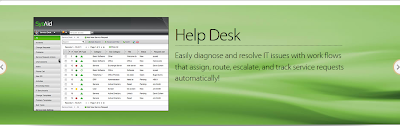
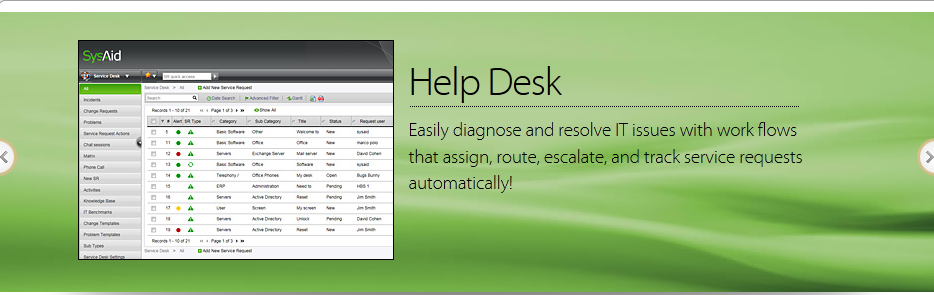
Here is the review of help desk software, Sysaid
Screenshot of the page :
From the service provider,
"SysAid IT Help Desk Software provides a complete web-based solution for any IT department. Automate your service desk, control your hardware and software management, and implement effective systems monitoring."
Pros :
Screenshot of the page :
From the service provider,
"SysAid IT Help Desk Software provides a complete web-based solution for any IT department. Automate your service desk, control your hardware and software management, and implement effective systems monitoring."
Pros :
- SysAid chat features allow users to chat with any other end-user logged into the network. Users can create service requests, access service history, and save all chats.
- SysAid solutions are built on the ITIL methodology, incorporating industry best practices and customer feedback
- SysAid is simple to use, yet feature-rich, to help your company better resolve IT issues in a quick and secure manner.
- Sysaid (the free version) is limited in the number of servers monitored to only 1.
- Clunkiness of the UI (from the user end)
- Requires some IT knowledge to set up
- Tasks are handled through the Project Management which is an add-on module
- Sysaid does not come as a single downloadable product. It includes addons for functions like project management, server monitoring, cmdb, change management, problem management etc with seperate incurring costs.
By Natarajan Aravind
#5 All your hardware components like Printers, PCs etc come under various maintenance contracts with different maintenance vendors. Do you know which batch of PCs are under warranty & for what number of PCs is the warranty about to expire (so that you can plan for an AMC)? Can you split up & tell how much AMC charges do you pay for each hardware component & how much for each vendor? Can you re-calculate the costs if an AMC with a vendor is to be renewed?
#4 Typically your company gets hardware parts and accessories from different vendors. Is your purchasing done centrally? Can you get the information of all vendors & the products they offer on a single click? Can you compare prices & other information before placing an order? Can you modify a purchase order (PO), have a revision history & email the vendor the updated PO? Can you track POs till all the items mentioned in a PO arrive?
#3 You might have entered into contracts with various vendors. Do you maintain & keep track of all your maintenance & support contracts in one place? How about having soft copies of actual contracts that are available to you through a web browser and is always a single click away?
#2 Your company has a variety of hardware like PCs, printers, scanners, OHPs etc and a plethora of software ranging from MS Office to Adobe Photoshop (all of various versions). Are you still using spreadsheets & manually tracking all these assets? Can you tell whether all the software you have comply with licensing? Can you tell how many of these hardware components & software copies are available with you at any instant? Can you tell how much of these are under utilized or not utilized at all?
#1 Your employees come up with different service requests ranging from "Not able to print from my PC" to "Cannot send mail". How do you ensure that such requests are taken care of by your support staff, that too efficiently? How do you ensure none of the requests fall through the cracks? Is there a Knowledge Base which can offer self-help for the employees? How do you keep track a high volume of requests?
AdventNet's ServiceDesk Plus offers to solve all the above & has much more to offer. The product is available at a very affordable price starting at $495 (there's a Free Edition too) backed by a company that has set a benchmark for customer care & support. For further information, mail to sales@adventnet.com or visit our website http://www.servicedeskplus.com
Natarajan Aravind
Market Analyst
AdventNet,Inc.
http://www.servicedeskplus.com
Article Source: Top Questions to Ask Before Buying a Help Desk & Asset Management Software
#5 All your hardware components like Printers, PCs etc come under various maintenance contracts with different maintenance vendors. Do you know which batch of PCs are under warranty & for what number of PCs is the warranty about to expire (so that you can plan for an AMC)? Can you split up & tell how much AMC charges do you pay for each hardware component & how much for each vendor? Can you re-calculate the costs if an AMC with a vendor is to be renewed?
#4 Typically your company gets hardware parts and accessories from different vendors. Is your purchasing done centrally? Can you get the information of all vendors & the products they offer on a single click? Can you compare prices & other information before placing an order? Can you modify a purchase order (PO), have a revision history & email the vendor the updated PO? Can you track POs till all the items mentioned in a PO arrive?
#3 You might have entered into contracts with various vendors. Do you maintain & keep track of all your maintenance & support contracts in one place? How about having soft copies of actual contracts that are available to you through a web browser and is always a single click away?
#2 Your company has a variety of hardware like PCs, printers, scanners, OHPs etc and a plethora of software ranging from MS Office to Adobe Photoshop (all of various versions). Are you still using spreadsheets & manually tracking all these assets? Can you tell whether all the software you have comply with licensing? Can you tell how many of these hardware components & software copies are available with you at any instant? Can you tell how much of these are under utilized or not utilized at all?
#1 Your employees come up with different service requests ranging from "Not able to print from my PC" to "Cannot send mail". How do you ensure that such requests are taken care of by your support staff, that too efficiently? How do you ensure none of the requests fall through the cracks? Is there a Knowledge Base which can offer self-help for the employees? How do you keep track a high volume of requests?
AdventNet's ServiceDesk Plus offers to solve all the above & has much more to offer. The product is available at a very affordable price starting at $495 (there's a Free Edition too) backed by a company that has set a benchmark for customer care & support. For further information, mail to sales@adventnet.com or visit our website http://www.servicedeskplus.com
Natarajan Aravind
Market Analyst
AdventNet,Inc.
http://www.servicedeskplus.com
Article Source: Top Questions to Ask Before Buying a Help Desk & Asset Management Software
Subscribe to:
Posts (Atom)


