Cloud Help desk

  • Subscribe to our RSS feed.
  • Twitter
  • StumbleUpon
  • Reddit
  • Facebook
  • Digg

Sunday, 22 January 2012

Promote your product here

Posted on 05:48 by Unknown
Advertise here at IT help desk software.

Display ads about your events, product, submit a press release, promote video or place your blog in our website and get more exposure and traffic.

Please fill the form below and we will contact you by email as soon as possible.


Online Form powered by
Read More
Posted in | No comments

Help Desk Tips & Tricks - Incident Management

Posted on 05:18 by Unknown
The Help Desk Tips & Tricks webinar, organized by ManageEngine will make you understand more about our Help Desk Management tool, ServiceDesk Plus and the tips to improve the performance and efficiency.

Register now


You’ll learn more about incident management in this webinar, through our ITIL ready product.

To Walk the Talk 

The webinar presentation will also be covered by a complete walk-through inside the ServiceDesk Plus product which will provide you more information on the features and the benefits.

 Register now for free !!!
Read More
Posted in IT Help Desk Software, ManageEngine, Zendesk | No comments

FrontRange HEAT Help Desk Software Demo

Posted on 05:06 by Unknown


Check out the demo video of help desk software, FrontRange Heat.


About FrontRange Heat Service Provider,

"Built on more than 15 years of service management experience, award-winning HEAT help desk software integrates core service and support components into one complete help desk software solution to reduce costs and increase operational efficiency."
Read More
Posted in Help Desk Videos | No comments

Sunday, 8 January 2012

Perils of 'Static' Windows Service Accounts

Posted on 02:29 by Unknown
Windows Service Accounts, used by the system programs to run application software services or processes often possess higher or even excessive privileges than normal user accounts. These are indeed very powerful accounts that run critical business processes and services. Many third-party services or scheduled tasks or processes might make use of the same service account, resulting in a complex interconnection.

In many production networks, it is not uncommon to find service accounts with 'static' credentials. Service accounts are normally forgotten after configuring them initially. Passwords are not changed for ages due to the sheer complexity of the service account password reset process. The new password has to be updated in all the associated services or processes. Otherwise, many services will simply not work. Unless the administrator follows the best practice of meticulously maintaining a master list of all service accounts and their dependencies/associations, password change of service accounts will prove herculean.

Static service accounts make the enterprise a haven for hackers! Malicious programs and hacking tools can decipher the service account credentials and wreak havoc on your network. Windows Security Experts often say: "service accounts are one of the simplest ways to turn a compromise of one computer system into a compromise of an entire network".

Properly managing the credentials of Windows Service Accounts is one of the crucial aspects of protecting the Windows Network.

Manual efforts to achieve this is not only time-consuming and mind-boggling, but also error-prone. The best way to ensure security is to automate the Windows Service Account password management.

ManageEngine Password Manager Pro helps achieve this with ease.

Password Manager Pro has the ability to identify the service accounts associated with a particular domain account. While resetting the password of a domain account managed in Password Manager Pro, it will find out the services which use that particular domain account as service account. It will automatically reset the service account password when the domain password is changed.

In certain cases, services corresponding to the service accounts require to be restarted for password reset to take effect. The windows service account password reset feature of Password Manager Pro helps achieve this precisely, fully automated.

You can create scheduled tasks to change the passwords of domain accounts and their associated service accounts in fully automated fashion, in accordance with the IT policy of your enterprise. You need not worry about the service account dependencies.

Try Password Manager Pro now!
Read More
Posted in ManageEngine, password management | No comments

Saturday, 7 January 2012

Privileged password management: Protection alone is not sufficient

Posted on 02:28 by Unknown
Privileged password management has now emerged a key aspect of IT management. With ever-increasing number of privileged identities in shared environment, protecting the administrative passwords is absolutely essential, but that alone is not sufficient. IT Managers are required to establish both 'protective' and 'detective' measures in managing administrative passwords.

While Privileged Password Management deals more with the 'protective' aspect of securely storing administrative passwords and restricting access to passwords, the 'detective' provisions to monitor password management operations and user activities are highly essential from the standpoint of preventing/identifying insider-threats and ensuring compliance to numerous industry and government IT regulations.

password-accessPassword Manager Pro scores high in both these aspects - it helps protect your privileged identities and control access to the resources; it also generates real-time alerts, SNMP traps and Syslog messages whenever an activity/event - including password access, modification or any other occurrence -takes places within the ManageEngine application.

These traps/syslog messages can be sent to a third-party SIEM tool, which can thoroughly analyze and correlate the data from Password Manager Pro with other network events. This results in a more secure infrastructure with an in-depth and holistic view of overall network activity.

The auditing mechanism of Password Manager Pro is quite comprehensive. It records all operations performed by the user including the password viewing and copying operations. The list of important operations that are audited (with the timestamp and the IP address) includes:
    • User accounts created, deleted and modified
    • Users logging in and logging off the application
    • Resources and passwords created, accessed, modified and deleted

Upon the occurrence of any of these events, real-time alerts are generated. The integration with SIEM allows security administrators and auditors to monitor privileged account access and activities from a single console and reconcile security incidents to possible privileged access abuse. With insider threats looming large, specifically due to privileged account access, this ability to quickly understand the root of a security event makes it possible to rapidly respond to attacks and always be in complete control of the computing environment.

Try Password Manager Pro now!
Read More
Posted in ManageEngine, password management | No comments

Friday, 6 January 2012

An automated solution to enforce IT policy on standard password practices

Posted on 02:27 by Unknown
Growing instances of information security incidents have forced IT enterprises to put an effective IT policy in place. All such policies stress three essentials, among the numerous guidelines:
  • Usage of unique, strong passwords across all IT resources
  • Rotating the passwords at periodic intervals
  • Role-based access controls for IT resources
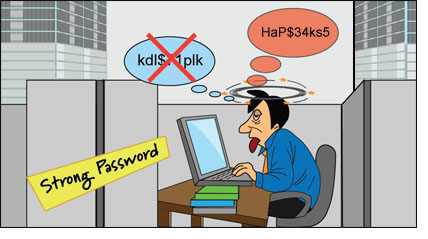
Enforcing the IT policy with respect to the privileged passwords turns out to be a daunting task to carry out manually. For instance, entering a new password that satisfies the strong password policy -- numerals, mixed case, special characters, minimum length and so on -- would be a nightmare.

Similarly, when there are too many IT resources, administrators often find it easier to assign a non-unique, same password to all the resources. Or they would prefer to recycle previously used passwords.

Above all, periodically changing the passwords on numerous resources would literally consume man-days! And to make things worse, if there is no proper password management practice in place, enforcing the above policies might result in system lockout issues and utter chaos.

By using a password management solution, you can automate the entire process of enforcing the IT policy with ease.

Password Manager Pro helps enforce the policy in more ways than one:

Once you define the password policy, Password Manager Pro automatically generates unique, strong passwords and deploys them across remote resources. It also automatically synchronizes the passwords at periodic intervals. It generates policy compliance reports prominently showing the violations.

In enterprises, different categories of administrators will just require access to the resources pertaining to their job roles alone - for instance, network administrators should be able to access only the network devices and not Windows servers. The password ownership and sharing design of Password Manager Pro precisely helps achieve this.

Password Manager Pro strengthens IT security through the usage of stronger and dynamic passwords.

Take a look at this quick video to learn more on how Password Manager Pro can help you enforce IT policy.
Read More
Posted in password management | No comments

Don’t let your administrative passwords become Pulcinella's Secrets!

Posted on 02:23 by Unknown
If you wonder what the phrase 'Pulcinella's Secret' means, let me start with explaining that:
Pulcinella is a popular comic character in Commedia dell'Arte, a form of theatre that began in Italy in the mid-16th century. The very character of Pulcinella is his inability to keep secrets. That means, any confidential matter revealed to him would soon become an open secret. Everyone will come to know of the 'secret', but will pretend not to be knowing. So, in reality, Pulcinella's secrets are not secrets at all!

Now, coming back to the question: Do you leave your administrative passwords as Pulcinella's Secrets?

I am afraid the answer would be ‘Yes’ if you still follow the practice of keeping your administrative passwords in text files and spread sheets. Everyone will be knowing all the passwords, while you would be thinking otherwise!

Let me explain further:

Modern IT and other enterprises are heavily dependant on servers, databases, network devices, security infrastructure and other software applications for their day-to-day operations. These infrastructure are accessed and controlled through administrative passwords. Typically, the applications are used in a shared environment by a group of administrators.
The number of administrative passwords keep on growing as more and more servers, devices and applications are added to the enterprise. Administrators end up virtually struggling with a pile of passwords and face problems on securely storing, managing and sharing the passwords.

How administrative passwords are being handled in enterprises?

If truth be told, even many big enterprises do not have any effective password management system in place at all. Employees follow their own, haphazard way of maintaining the passwords; there is rarely any meaningful management
  • Sensitive passwords are stored in volatile sources such as text files, spread sheets, print-outs etc.,
  • Many copies of the administrative passwords are circulated among the administrators who require them for their job functions. The passwords thus become impersonal in the shared environment – no accountability for actions
  • When other members of the organization such as developers, database administrators and support personnel require access to IT resources, passwords are generally transmitted over word of mouth
  • The administrative passwords mostly remain unchanged for fear of inviting system lockout issues
  • Still worse, most resources are assigned the same, non-unique password for ease of coordination among administrators. In most of the organizations, a common administrative account is created and all the administrators use the same account to access the infrastructure - for instance 'Administrator' on Windows, 'root' on Unix/Linux, 'enable' on Cisco, 'sa' on SQL server etc.  
  • There is rarely any internal control on password access or usage. Administrators freely get access to the passwords of all the resources in the organization
  • There is generally no trace on ‘who’ accessed ‘what’ resources and ‘when’. This creates lack of accountability for actions
  • If an administrator leaves the organization, it is quite possible that he/she may be getting out with a copy of all the passwords
 So, if you follow the traditional practice of storing the passwords in text files and spreadsheets, sensitive administrative passwords will be known to everyone, much like Pulcinella’s secrets.

What is the Solution? 

One of the effective ways to securely manage the administrative passwords is to store the passwords in a central, secure vault and automate password management tasks. Deploying 'Password Management Applications' or in simple words, the 'Enterprise Password Managers' can help you in controlling access to administrative passwords and in taking total control of the shared administrative passwords. Your passwords will no longer remain as Pulcinella’s Secrets.
ManageEngine Password Manager Pro precisely helps achieve this.  Deploy Password Manager Pro and Stay Secure!
Read More
Posted in ManageEngine, password management | No comments
Newer Posts Older Posts Home
Subscribe to: Posts (Atom)

Popular Posts

  • SupportBee, a help desk software aimed at startups and small companies, encourages an all-hands approach : SGE
    SupportBee, a help desk software aimed at startups and small companies, encourages an all-hands approach January 8, 2013 by Terence LEE Su...
  • ITSM Meetup - New York
    "This Meetup is all about sharing your experience and gaining some knowledge on IT service Management from real time IT managers &...
  • Help Desk Software Review
    Hi, Thanks for visiting my blog. Really happy to get 20,000 views just in a couple of months. So, just sharing about my experience with this...
  • Customer Service Software - 11 Tips to Get What You Really Need
    By Joe Boye Nowadays, no one understands a good, comprehensive customer service without a supporting software platform. A good Customer Serv...
  • 5 Cloud Solutions That Will Make Your Customer Service Unbeatable
    One of the most important factors in creating a long lasting small business is providing excellent customer service. Unfortunately, when you...
  • SaaS Help Desk Software Reviews / Best SaaS Help Desk Softwares
    Nowadays, in all industries, every small and large enterprises are switching from on-premise software applications to SaaS services, of whic...
  • How Dell Acquired Quest Software: The Secret Inside Story
    How did Dell really win the bidding war for Quest Software , the provider of virtualization and IT management software? MSPmentor has the...
  • Some Benefits of Integrating Helpdesk Software at Website
    Having a good help desk software(iKode Helpdesk X) package is also good management practice for the feedback it provides into areas where ...
  • Help Desk Software Review - Best List of Help Desk Review Sites
    Are you the person who is looking for the best help desk software for your business? Cant find the good help desk software which match your ...
  • Top Questions to Ask Before Buying a Help Desk & Asset Management Software
    By Natarajan Aravind #5 All your hardware components like Printers, PCs etc come under various maintenance contracts with different maintena...

Categories

  • Absolute Software
  • Alloy Navigator
  • CA
  • CA Technologies
  • Frontrange
  • Gartner
  • Help Desk Infographics
  • help desk news
  • Help Desk Software Review
  • Help Desk Software Tips
  • Help Desk Story
  • Help Desk Videos
  • IT Asset Management
  • IT Help Desk Software
  • ITIL
  • Kaseya
  • Landesk
  • List of IT help desk softwares
  • list of top 100 it help desk softwares
  • ManageEngine
  • Parature
  • password management
  • quest software
  • solarwinds
  • Spiceworks
  • SupportBee
  • SysAid
  • Technology
  • Vision HelpDesk
  • web help desk
  • Zendesk

Blog Archive

  • ▼  2013 (21)
    • ▼  September (3)
      • ITSM Meetup - New York
      • ServiceDesk Plus Tips and Tricks on Change Managem...
      • Gartner Magic Quadrant 2013 for ITSSM Tools
    • ►  July (2)
    • ►  June (11)
    • ►  April (3)
    • ►  January (2)
  • ►  2012 (157)
    • ►  November (2)
    • ►  October (9)
    • ►  September (42)
    • ►  August (23)
    • ►  July (42)
    • ►  June (1)
    • ►  May (6)
    • ►  April (7)
    • ►  March (9)
    • ►  February (6)
    • ►  January (10)
  • ►  2011 (46)
    • ►  December (3)
    • ►  November (6)
    • ►  October (14)
    • ►  September (10)
    • ►  August (4)
    • ►  July (4)
    • ►  June (3)
    • ►  April (1)
    • ►  February (1)
Powered by Blogger.

About Me

Unknown
View my complete profile